
Disclosure: this article contains affiliate links. If you sign up for HighLevel through them, we earn a commission at no extra cost to you.
If you’ve ever built the same funnel, the same booking calendar and the same follow-up workflow for three different clients, snapshots are about to save you a lot of time.
A GoHighLevel snapshot is a template of an entire account setup. Build a system once, save it as a snapshot, and load it into any new client account in minutes.
This guide covers what snapshots copy, what they leave out, and how to create, load, update and share them.
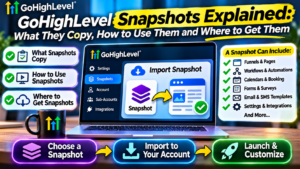
Quick answer: A GoHighLevel snapshot is a saved copy of a sub-account’s setup: funnels, websites, workflows, calendars, pipelines, custom fields and message templates. It doesn’t copy contacts or conversations. Agencies use snapshots to set up new clients in minutes instead of rebuilding everything by hand.
What is a GoHighLevel snapshot?
In GoHighLevel, each business or client lives in its own workspace, called a sub-account. A snapshot captures how a sub-account is built, so you can copy that build into another one.
Think of it like a house plan. The snapshot is the design: rooms, wiring, plumbing. It isn’t the furniture or the people living there.
What does a snapshot include?
| Included in a snapshot | Not included |
|---|---|
| Funnels and websites | Contacts |
| Workflows and automations | Conversations and message history |
| Calendars | Phone numbers |
| Pipelines and stages | Connected integrations |
| Forms and surveys | Email sending domains |
| Custom fields and custom values | Payment connections |
| Tags | Each client’s own branding |
| Email and SMS templates | |
| Triggers and links |
The right-hand column matters. After loading a snapshot, you still need to connect each client’s phone number, email, calendar and payment details. Skip that step and automations will fail, or worse, send messages under the wrong business name.
The smart fix is custom values. Use them for business name, phone number, address and booking link throughout your snapshot. Then you only change them once per client and everything updates.
Why snapshots matter for agencies
Snapshots are what let one agency handle dozens of clients without hiring more staff:
- Faster onboarding. A new client goes from days of building to an hour or two of setup.
- Consistent quality. Every client gets your best, tested system.
- Easy delegation. A virtual assistant can load a snapshot and fill in the details.
- Products to sell. A finished snapshot for one industry is a product in its own right.
On Agency Pro, snapshots also power SaaS Mode. Assign a snapshot to a pricing plan and every client who signs up gets it loaded automatically. See GoHighLevel Unlimited vs Pro.
How to create a snapshot in GoHighLevel
- Build your setup in a sub-account. Use a dedicated template account, not a live client.
- Switch to the agency view. Snapshots are managed at agency level.
- Open the snapshots section and choose to create a new snapshot.
- Pick the source sub-account you built.
- Name it clearly, including a version, like “Dentist System v2”.
- Save. It’s now available to load into any sub-account.
How to load a snapshot into a sub-account
For a new client: choose the snapshot when you create the sub-account. Everything loads in one go.
For an existing client: load the snapshot from the agency view and choose which parts to import. HighLevel merges them into the existing account, so check for clashes with assets already there.
Either way, finish by updating custom values, connecting the client’s phone, email and calendars, and testing every workflow end to end.
How to update a snapshot
Your systems will improve over time. When they do:
- Make the changes in your template sub-account
- Refresh the snapshot so it captures the new version
- Push the update to client accounts that were built from it
One warning: a push can overwrite changes you made inside a client’s account. Push freely to accounts you haven’t customised, and update customised accounts by hand. Always test updates in a test sub-account first.
How to share or sell a snapshot
You can share snapshots with other HighLevel users by link. You can also restrict a share to one specific agency.
Many agencies and consultants sell niche snapshots, like complete systems for roofers or med spas. Buyers load them into their own HighLevel accounts.
Where to get GoHighLevel snapshots
- Inside HighLevel. Your agency dashboard includes free ready-made snapshots for common industries. They’re a good starting point.
- Paid snapshots from agencies and consultants who specialise in one niche.
- Your own. The best snapshot is the one built from a system that’s already working for a real client.
Be careful with paid snapshots. Test them in a spare sub-account first and check every workflow before using one with clients.
Which plan do you need for snapshots?
Snapshots are available on every paid plan. On Starter, you’re limited to three sub-accounts, so you’ll get less use from them. On Unlimited and Agency Pro, with unlimited sub-accounts, they become one of the most valuable features HighLevel has. Our GoHighLevel pricing guide has the full plan comparison.
Try snapshots for yourself
The best way to understand snapshots is to load one. Start a trial, load one of HighLevel’s free industry snapshots into a sub-account and look at how it’s built.
HighLevel’s standard trial is 14 days. Our link gets you 30 days, which is enough to build your own snapshot from scratch. New to HighLevel? Start with What Is GoHighLevel? or our full features guide.
Start your 30-day free trial (plus a free live setup bootcamp)
GoHighLevel snapshots FAQs
What is a snapshot in GoHighLevel? A saved template of a sub-account’s setup, including funnels, workflows, calendars, pipelines and templates, that you can load into other accounts.
Do GoHighLevel snapshots copy contacts? No. Snapshots copy setup and templates only. Contacts, conversations and client data stay where they are.
Can I sell GoHighLevel snapshots? Yes. Many agencies sell niche snapshots, and you can share them with other HighLevel users by link.
Are there free GoHighLevel snapshots? Yes. HighLevel includes free industry snapshots inside the agency dashboard.
Can I update a snapshot after clients are using it? Yes. Refresh the snapshot and push updates to client accounts, but test first, as pushes can overwrite client-specific changes.
Which GoHighLevel plan includes snapshots? All paid plans. They’re most useful on Unlimited and Agency Pro, which allow unlimited sub-accounts.