
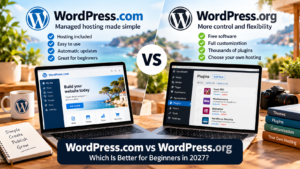
WordPress.com vs WordPress.org: What’s the Difference?
If you’re planning your first website, you’ve probably encountered two names that look almost identical: WordPress.com and WordPress.org.
Both use WordPress, one of the world’s most established website-building systems. However, they offer different approaches to creating and managing a website.
The simplest explanation is this:
- WordPress.com provides WordPress software together with managed website hosting.
- WordPress.org provides free, open-source WordPress software that you can install with a hosting provider of your choice.
Neither is automatically better. The right choice depends on your budget, technical confidence and plans for your website.
Is WordPress.com Easier for Beginners?
For many beginners, WordPress.com offers a more straightforward starting point.
You can create an account, select a website design, add pages and start publishing without arranging separate hosting.
WordPress.com also handles important technical tasks, including software updates and core security measures.
This makes it appealing to people who want to focus on writing articles, building a portfolio or establishing a business presence rather than managing website infrastructure.
Advantages of WordPress.com
- Hosting is included.
- A free plan is available.
- Automatic WordPress software updates are provided.
- Security and essential performance features are built in.
- Paid plans support custom domains and plugin installations.
Potential disadvantages
- Advanced development features may require higher-tier plans.
- Certain plugins can be restricted because they conflict with built-in functionality.
- You have less direct control over the hosting environment than with a self-hosted installation.
Want to build a website without arranging separate hosting?
[Explore WordPress.com plans — INSERT AUTOMATTIC AFFILIATE LINK]
What Is WordPress.org?
WordPress.org is the home of the open-source WordPress software.
You can download the software for free, but you’ll need somewhere to host it.
Most WordPress hosting companies provide simple installation tools, so setting up a self-hosted site doesn’t necessarily require programming skills.
However, you’re responsible for choosing a hosting company and making sure essential tasks such as backups, updates and security are properly managed. Some hosts include these services in their packages.
Advantages of self-hosted WordPress
- Greater control over your hosting environment.
- Extensive customization options.
- Freedom to choose hosting providers.
- Access to WordPress themes and plugins.
- Flexibility for advanced development projects.
Potential disadvantages
- Hosting costs are separate.
- Maintenance responsibilities vary by provider.
- Troubleshooting can involve multiple service providers.
- Beginners may find the additional choices confusing.
WordPress.com vs WordPress.org: Feature Comparison
| Feature | WordPress.com | Self-hosted WordPress |
|---|---|---|
| Software | WordPress | WordPress |
| Hosting | Included | Purchased separately |
| Free starting option | Yes | Software free; hosting generally paid |
| Automatic updates | Included | Depends on setup |
| Plugins | Available on paid plans | Supported |
| Custom domains | Paid plans | Supported through domain and hosting |
| Server-level control | Limited by plan | Greater flexibility |
| Beginner convenience | High | Depends on host |
Can You Install Plugins on WordPress.com?
Yes.
A common misconception is that WordPress.com doesn’t support plugins.
Its paid Personal, Premium, Business and Commerce plans currently allow plugin installation, although certain incompatible plugins are restricted.
This means you can add functionality such as contact forms, SEO tools, online stores and other website features without necessarily moving to a separate hosting company.
Which Option Is Better for Blogging?
Both platforms are capable blogging systems.
WordPress.com is particularly attractive when you want to start writing quickly without spending much time on technical administration.
Self-hosted WordPress may be preferable if you want a specific hosting setup, custom development capabilities or more direct control over your infrastructure.
Your blogging success will depend much more on the quality of your content, your audience and your promotion strategy than on which of these two approaches you choose.
Which Is Better for a Small Business?
For a simple business website, WordPress.com can provide a convenient all-in-one solution.
A service business, consultant or freelancer can create pages explaining their services, add contact information and publish useful articles.
For more complex websites, both platforms can work, but you should compare the features you require before selecting a plan.
Think about appointment booking, ecommerce, integrations, custom development and future growth.
Is WordPress.com or WordPress.org Better for SEO?
Both can support search engine optimization.
WordPress.com includes essential SEO functionality and offers additional tools on certain paid plans.
Self-hosted WordPress also supports SEO through its core features and compatible plugins.
Neither platform guarantees higher Google rankings.
Useful content, clear navigation, relevant keywords, internal links and good website performance remain important regardless of hosting choice.
Can You Move from WordPress.com to WordPress.org Later?
Yes. WordPress sites can be migrated between hosting environments.
The complexity depends on the website’s design, plugins, media and other features.
For a simple blog, migration may be relatively straightforward. A complex business website may require additional planning.
This means you don’t necessarily need to make a permanent decision when starting your first website.
Frequently Asked Questions
Is WordPress.com really free?
WordPress.com offers a free plan with hosting and a WordPress.com subdomain. Paid plans provide additional features.
Do I need coding skills to use WordPress?
No. Both approaches offer visual editing tools, although advanced customization may involve code.
Can I use my own domain name?
Yes. WordPress.com supports custom domains through paid plans, while self-hosted WordPress supports domains purchased through a registrar.
Is WordPress.org the same company as WordPress.com?
No. WordPress.org represents the open-source WordPress project. WordPress.com is a commercial hosting service operated by Automattic.
Can I make money from a WordPress website?
Yes. Depending on the platform, plan and applicable terms, websites can support advertising, affiliate marketing, product sales and other monetization methods.
Final Verdict: Which Should You Choose?
Choose WordPress.com if you want a straightforward way to create a website with hosting, updates and essential technical features included.
Choose self-hosted WordPress if you want greater control over hosting, development and technical configuration.
For a beginner launching a first blog, portfolio or straightforward business website, WordPress.com is worth considering.
Start building your website with WordPress.com – click here
Before purchasing, compare the latest plans, features and renewal prices to make sure your chosen option meets your needs.